Everything You Need
WooCommerce Analytics Features.
Everything in One Dashboard.
SaleTides connects to your WooCommerce store and gives you a complete picture of your sales, customers, products, and subscriptions — and an AI assistant that answers questions about them in plain English.
Get Started FreeSales Analytics
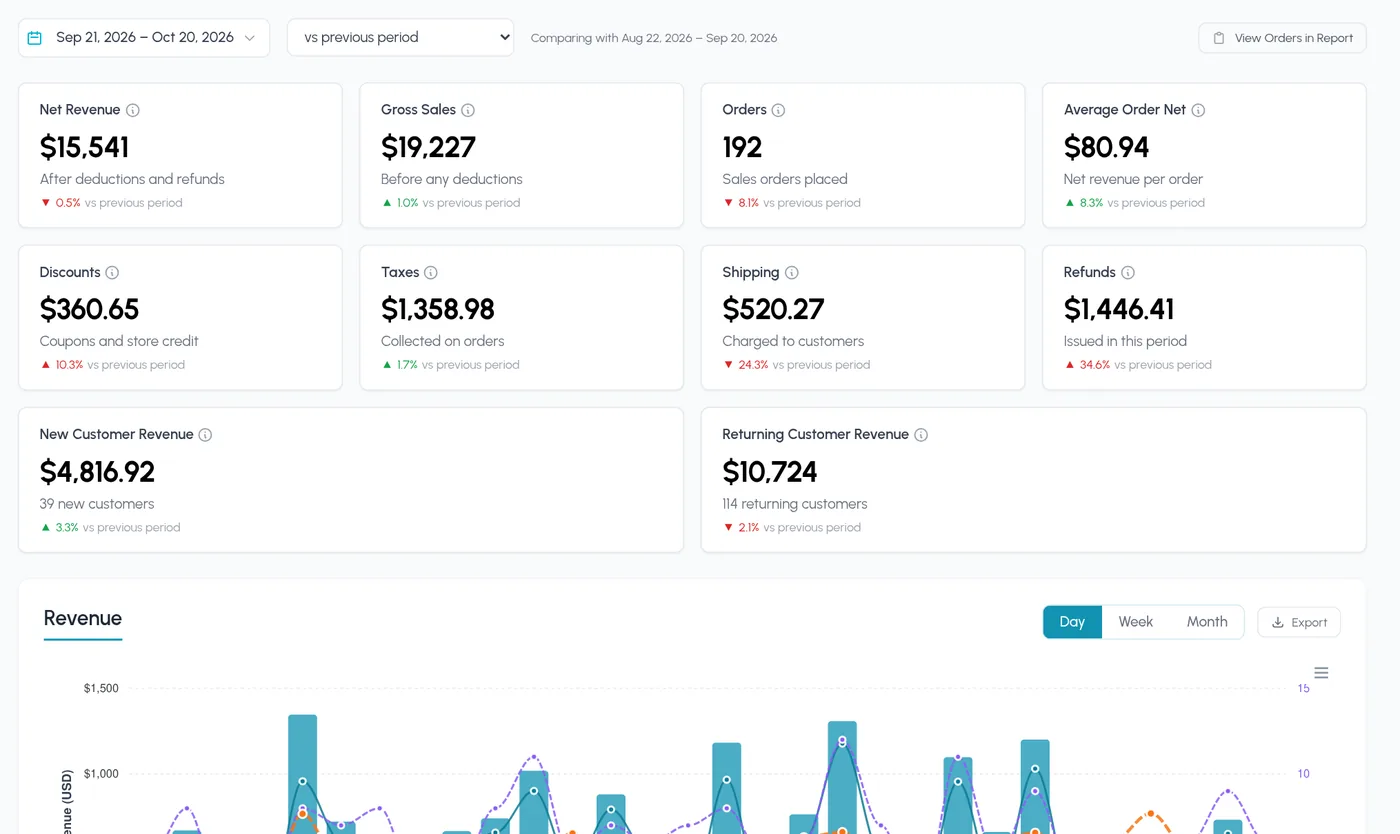
Know Exactly Where Your Revenue Stands
Your key numbers update automatically as orders come in, each one compared with the previous period or the same dates last year. No manual calculations, no spreadsheets.
AI Assistant
Ask Your Store a Question, Get the Answer
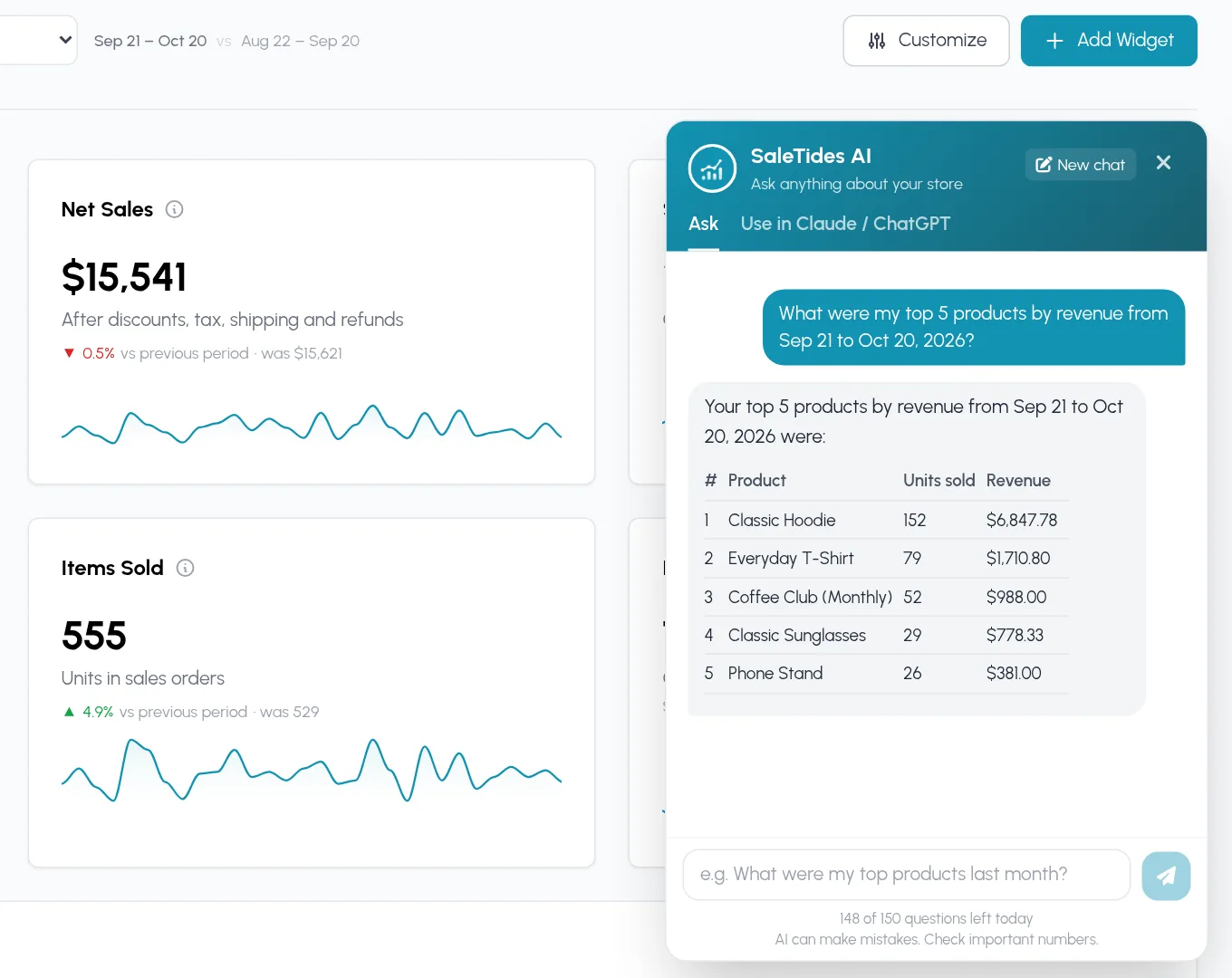
Skip the digging through reports. Ask in plain English and SaleTides AI answers from your own store data — sales, orders, customers, products, and subscriptions.
Built into your dashboard
Open the chat on any page and ask things like “What were my top products last month?”
Answers from your real numbers
It looks up the same figures your reports show instead of guessing.
Use it in Claude or ChatGPT
Connect your store to Claude or ChatGPT and ask about your data from there.
Orders & Returns
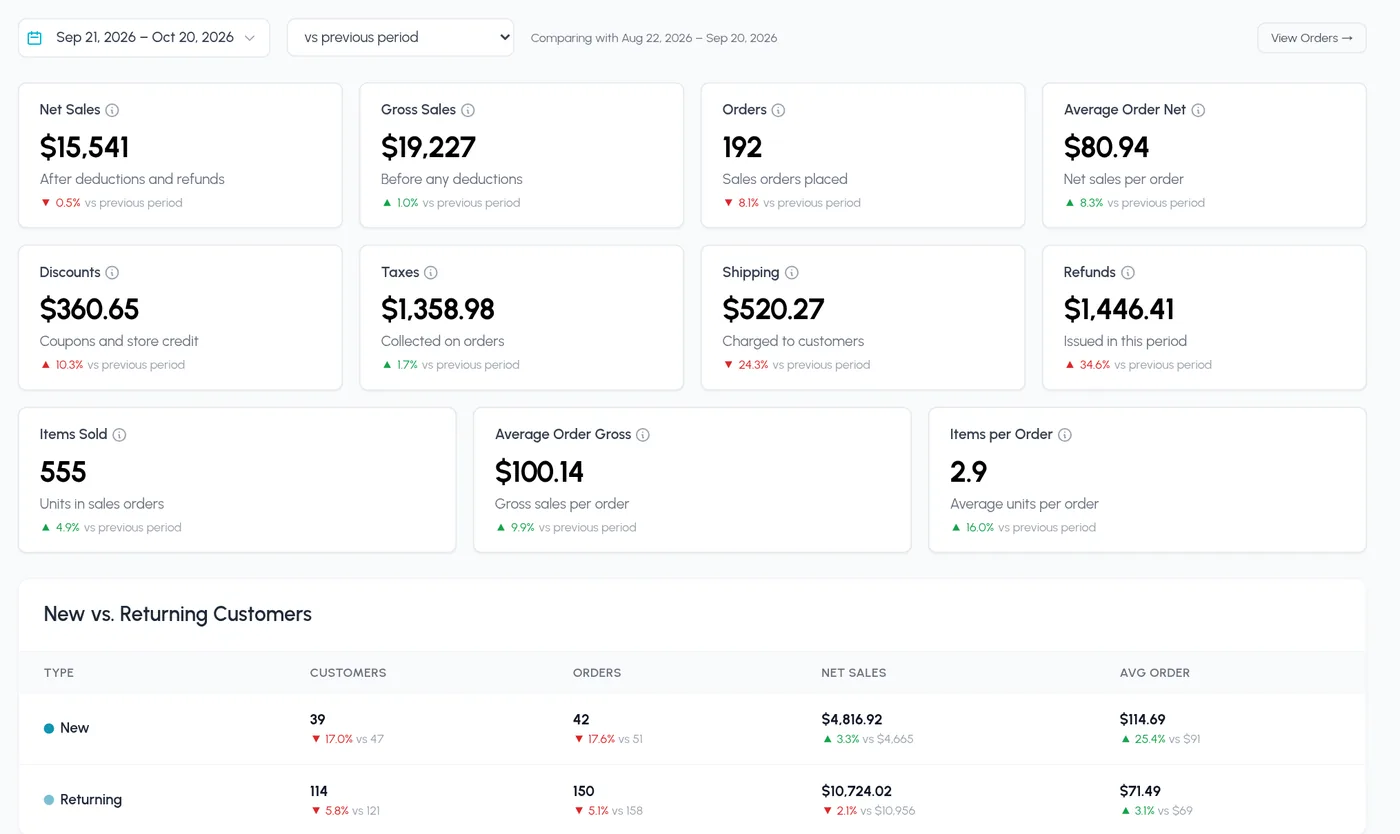
Track Every Order, Catch Every Problem
Monitor order health end to end. Spot failed orders, refund spikes, and slow fulfilment before they eat into your margins.
Customer Intelligence
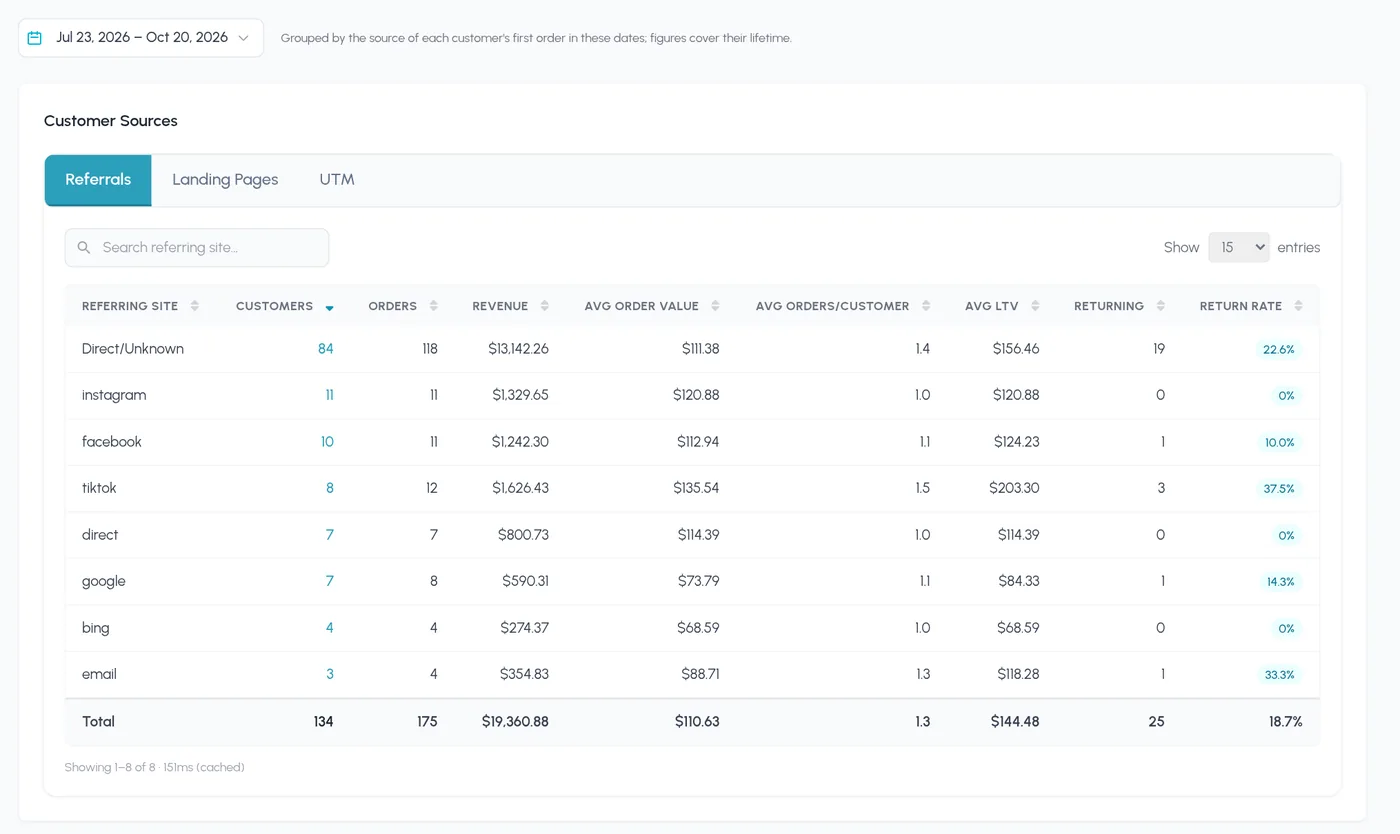
Know Who's Buying and Where They Come From
Go beyond total customer counts. See which channels bring your most valuable customers, who comes back to buy again, and who your top spenders are.
Products & Coupons
See What Sells and What Your Discounts Cost
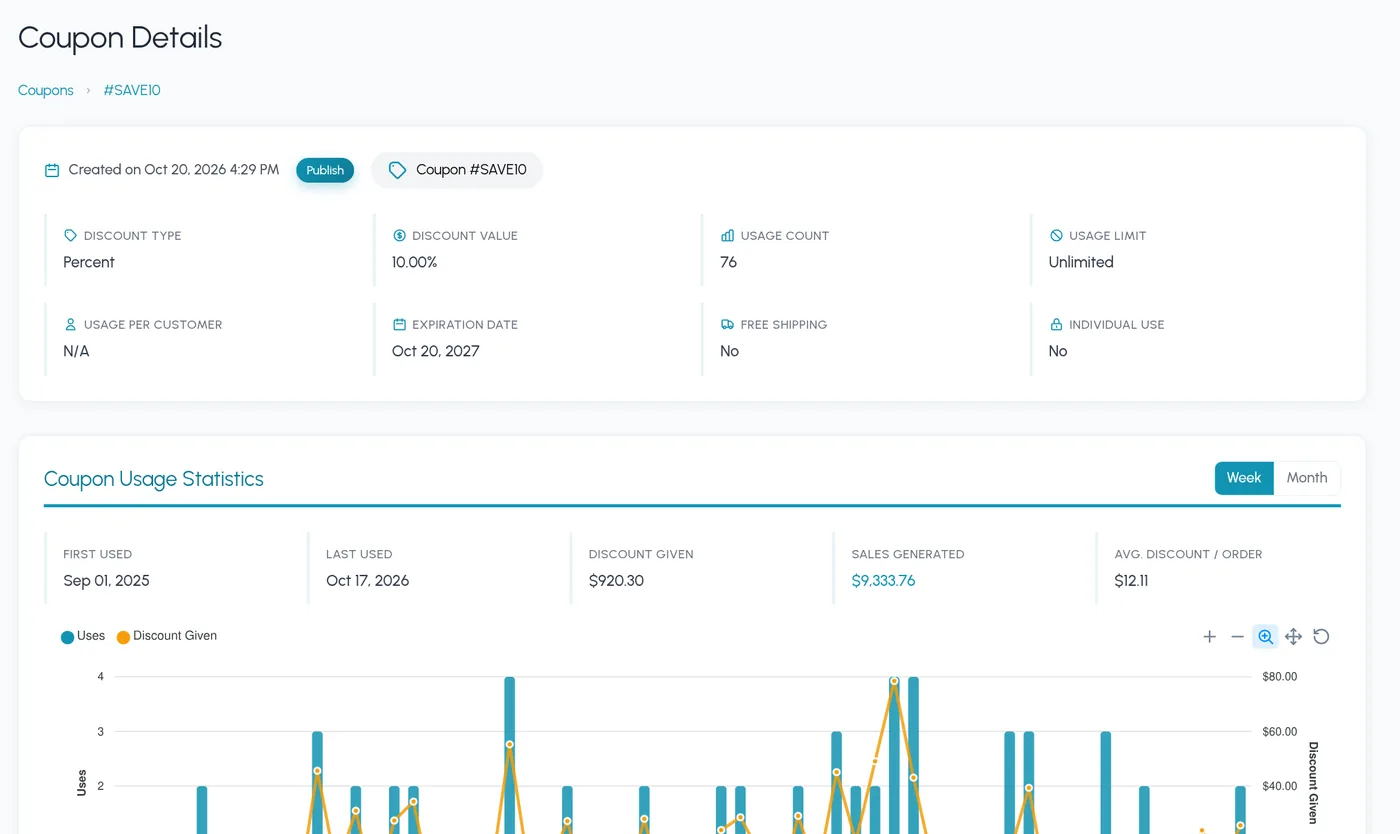
Find your best sellers down to the variation, keep an eye on low stock, and see exactly how often each coupon is used and how much it gives away.
Subscription Analytics
Built for Subscription Businesses
Track your recurring revenue in depth. If you use WooCommerce Subscriptions, SaleTides gives you the metrics that actually matter, from MRR to churn.
Monthly Recurring Revenue
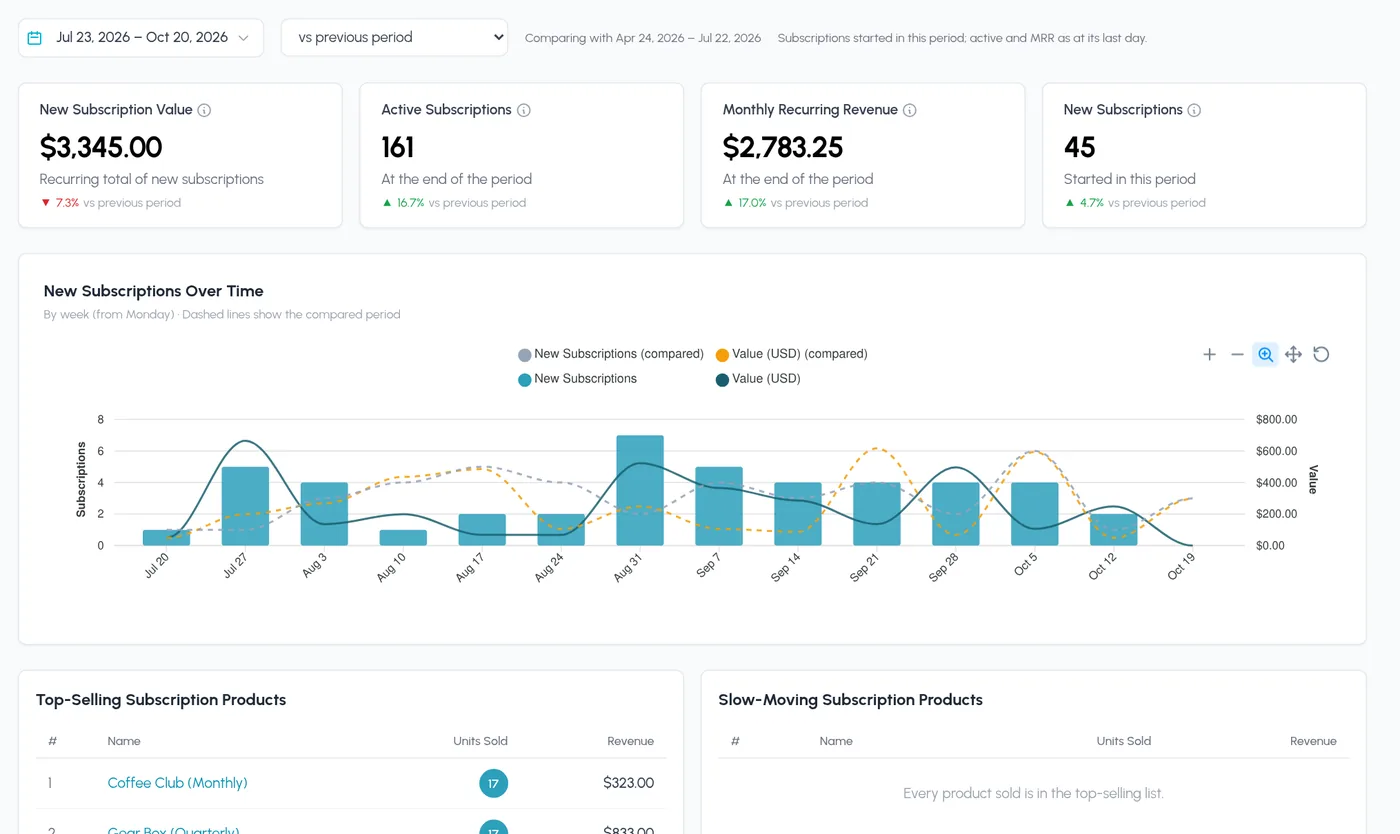
Track MRR and ARR and see how they move from one period to the next.
Active Subscriptions
See how many subscriptions are active, on which plans, and what they are worth.
New Subscriptions
See new sign-ups over time and spot your peak acquisition periods.
Churned Subscriptions
See when subscriptions end and how — cancelled, failed payment, or expired.
Subscription Lifecycle
See how subscriptions move between active, on-hold, cancelled, and expired, and on which days and hours.
Subscription Retention
Measure how many subscribers you keep, month after month, with retention cohorts.
Cohort Analysis
Group, Compare, and Retain
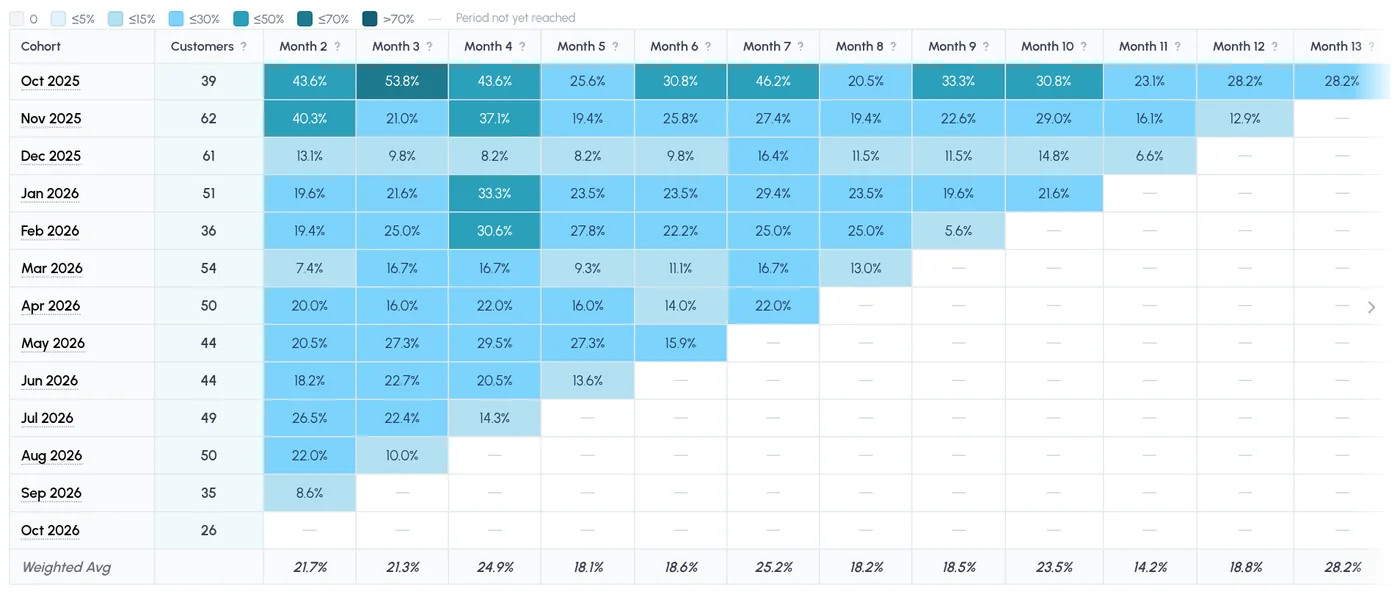
Cohorts group customers by the month of their first order, so you can see how each group behaves over time — patterns that totals hide.
Returning Customers
What share of each cohort comes back to buy again, and when.
By Order Count
How many customers in each cohort reach their 2nd, 3rd, or 5th order.
Orders per Customer
How often each cohort buys as the months go by.
Average Order Value
How order size changes for each cohort over time.
Lifetime Value (LTV)
The total revenue each cohort has generated so far.
Orders Over Time
Order volume from each cohort, month by month.
Sales Over Time
Sales from each cohort, month by month.
Subscription Cohorts
Subscriber retention, renewals, and exits by sign-up month.
Reporting
Every Report You Need, Already Built
Stop building reports from scratch. Every report works on any date range and compares with the previous period or the same dates last year.
Revenue
Gross and net sales, and revenue from new vs returning customers.
Orders
Order volume, order value, items per order, and fulfilment time.
Order Sources
Which referring sites, landing pages, and UTM campaigns bring in orders.
Refunds
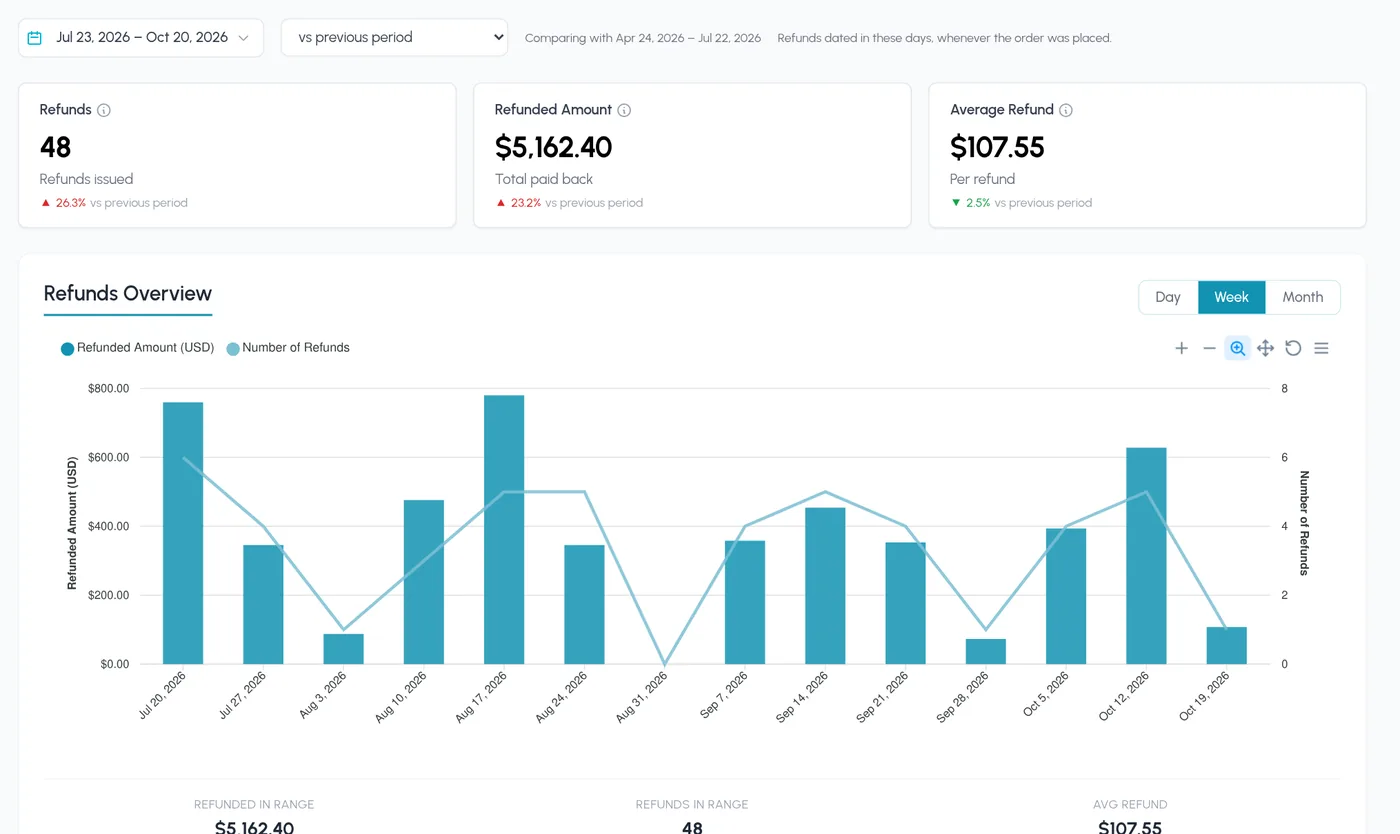
Refund amounts and counts over time, and where they come from by country and region.
Discounts, Taxes & Shipping
What you gave away in coupons, collected in tax, and charged for shipping.
Devices
Whether customers buy on mobile, tablet, or desktop, and in which browser.
Also Included
Custom Dashboard
Add, remove, and rearrange widgets so the numbers you check most come first.
Saved Filters & Export
Filter orders, customers, products, and subscriptions by 30+ fields, save the view, and export to CSV.
Team Access
Invite your team and choose which pages each person can see.
Multiple Stores
Switch between your WooCommerce stores from one login on Growth plans and above.
Ready to Dive In?
Start Exploring Your Store's Data Today
Connect your WooCommerce store in minutes and get instant access to every feature on this page — no setup fees, no credit card required.